Skills
Table of Contents
Skills wire up Ogham’s MCP tools into common workflows. Instead of calling hybrid_search, then find_related, then explore_knowledge yourself, you say “what do I know about embeddings?” and the skill chains the right tools for you.
Install #
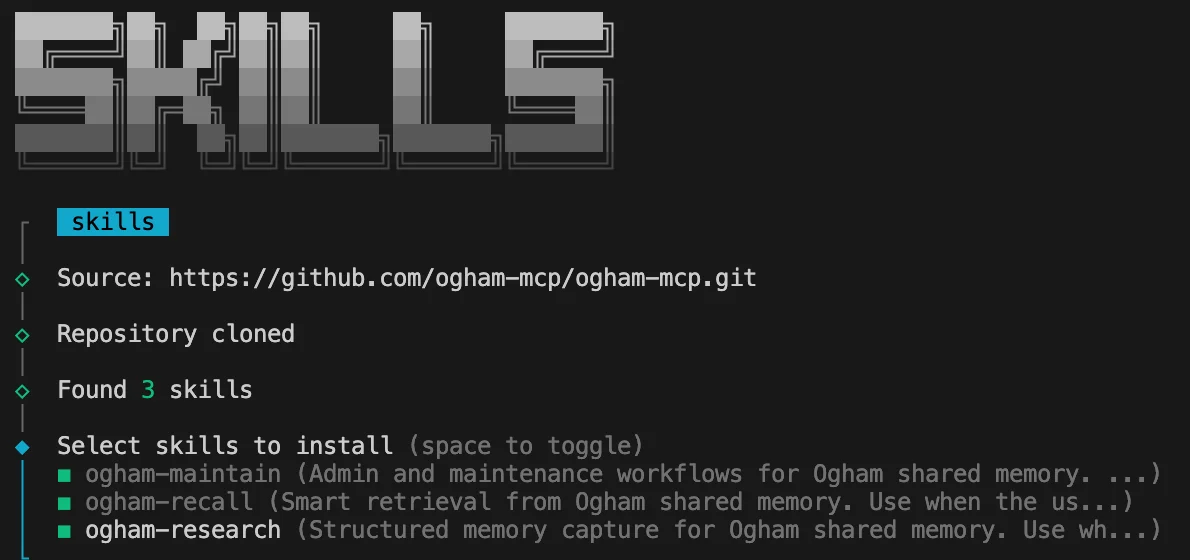
Install all three with npx:
npx skills add ogham-mcp/ogham-mcp
Install one at a time:
npx skills add ogham-mcp/ogham-mcp --skill ogham-recall
Or copy from a local clone:
cp -r skills/ogham-research skills/ogham-recall skills/ogham-maintain ~/.claude/skills/
The MCP server must be connected for skills to work. Skills don’t replace MCP tools – they call them for you.
ogham-research #
Memory capture. Say “remember this”, “store this finding”, or “save what we learned” and it runs.
- Searches for duplicates via
hybrid_searchbefore storing anything - Tags consistently (
type:decision,type:gotcha,type:pattern,type:config) - Uses
store_decisionfor architectural choices with structured rationale - Reports what was stored, skipped, or updated
ogham-recall #
Retrieval. Say “what do I know about X”, “find related”, or “context for this project.”
- Chains
hybrid_search,find_related, andexplore_knowledge - At session start, searches for project name, current task, and recent git activity
- Groups results by topic, not search rank
ogham-maintain #
Admin. Say “memory stats”, “clean up my memory”, “export my brain”, or “re-embed.”
- Runs
health_check,get_stats,cleanup_expired,re_embed_all,link_unlinked,export_profile - Profile management:
switch_profile,set_profile_ttl,list_profiles - Warns before irreversible operations (deletion, re-embedding)
Compatibility #
Tested with Claude Code. The npx skills add command also supports Cursor, Codex, and other clients that use the skills format.